 montipass
A few minutes to set up. Two taps to use.
The full Montipass flow: you design the card, share the QR code at the counter, and staff scan. Customers do not download an app or create an account.
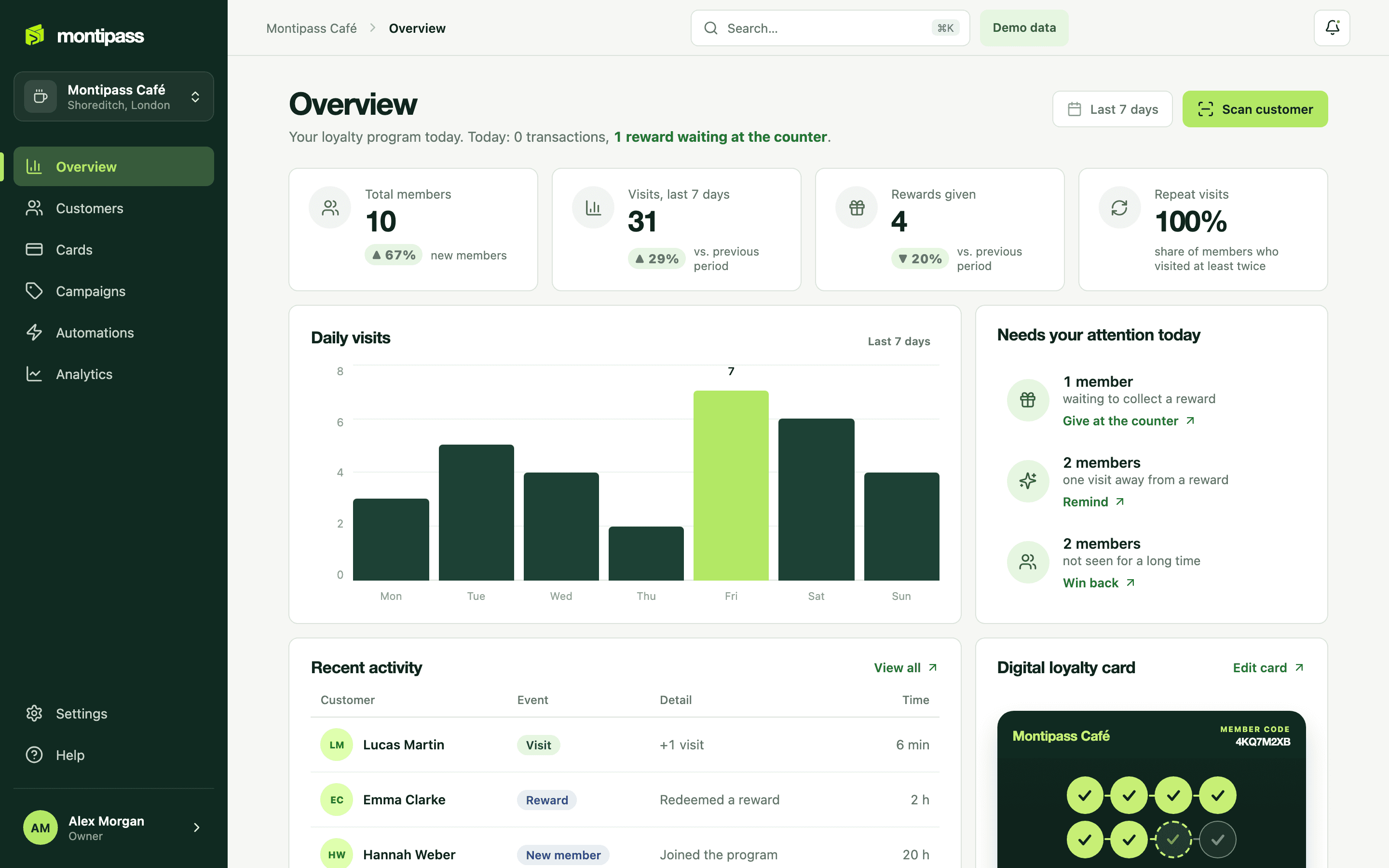
Three steps in the dashboard
Design your card
Choose your business name, your reward rule (how many stamps earn what) and your card colour. Upload your logo and see it in the preview instantly. No changes to your POS or hardware.
Get your sign-up QR code
As soon as setup is done you get a single QR code. Place it at the counter, show it on a screen, stick it on the tables or share it on social media. The same QR code also works as a referral invitation.
Add your staff
Give your baristas or waiters the “staff” role. They can only scan cards and record visits; the customer list and settings stay with the owner.
Two taps for the customer
Scan the QR code
The phone camera is enough. No trip to the app store, no account to create.
Type a name
The page that opens has a single field: name. No phone number, email or password. Then “Add to wallet”.
The card is in the wallet
The card goes into Apple Wallet on iPhone and Google Wallet on Android. The phone is always with them, so there is nothing to look for next time.
Scan and count
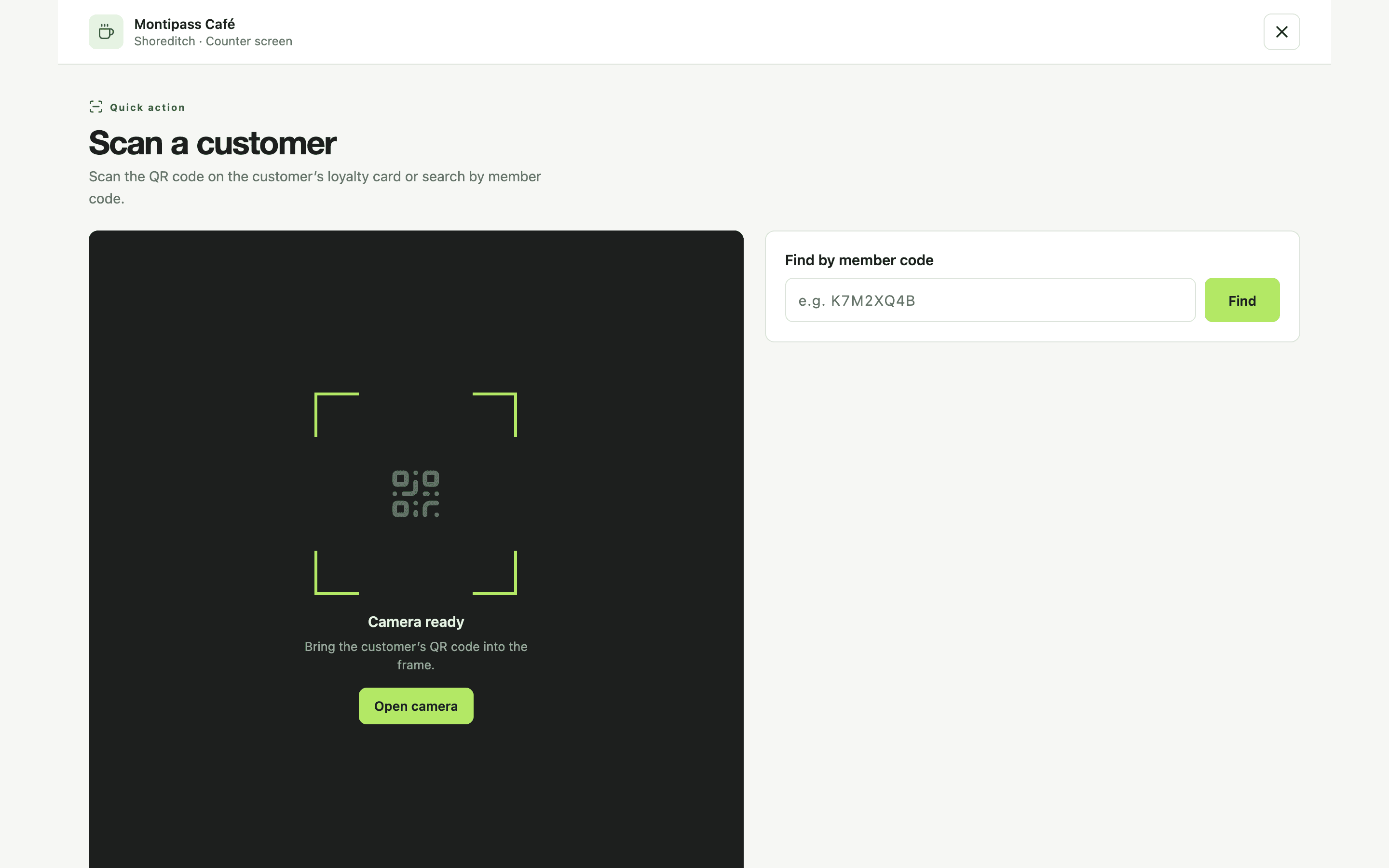
In staff mode, staff scan the QR code on the customer’s card and the visit is recorded with one tap. The stamp count on the card updates within seconds: in Apple Wallet it arrives by push, and the customer does nothing.
When a card reaches its goal it shows “reward ready”. Staff choose “Redeem reward”, the redemption is recorded and the count resets. The same scan is never counted twice: transactions are deduplicated on the server.
But what about…
Most of my customers use Android. Will it work?
Yes. The card goes into the wallet on both phones: Apple Wallet on iPhone, Google Wallet on Android. In both, the stamps appear on the card and the card updates itself on every visit. Apple and Google each draw the layout themselves, so the two cards do not look identical.
Do I need to change my POS or till?
No. Montipass does not connect to your POS. A phone or tablet opens “staff mode”, and that is all.
How is it different from a paper stamp card?
The card does not get lost or forgotten in a drawer, and the count is shown on the card itself. In the dashboard you also see who is drifting away and who is close to a reward. A paper card offers none of this.
Does setup really take only a few minutes?
Yes. Once you choose a business name, a reward rule and a card colour, you are live. The only extra step at sign-up is verifying your email address.
Can my staff learn it?
Staff mode has a single screen: scan the QR code. Visits and rewards are recorded with one tap; it is quicker than stamping a paper card.
What if a customer does not want to add the card?
There is no pressure; anyone who prefers can carry on as before. But because we do not ask them to download an app and only ask for a name, most customers add it.
Set it up and add your first card today.
No credit card required. You are live in a few minutes; add your first customer to their wallet at the counter.